Aquascape Photography Tips: Capture Your Tank Like a Pro

You have spent months growing the perfect aquascape, but your photos never do it justice — they come out blurry, blue-tinted, with reflections all over the glass. Aquascape photography has unique challenges, but a few techniques transform snapshots into stunning images. These aquascape photography tips from Gensou Aquascaping at 5 Everton Park will help you capture your tank like a professional.
Preparation: Before You Shoot
Clean the glass: This is the single most important step. Use a magnetic cleaner or blade scraper on the front glass until it is spotless. Even tiny algae spots or water marks show up in photos. Clean the outside glass as well with a microfibre cloth.
Perform a water change: Fresh, clear water photographs better than water that has accumulated dissolved organics. Do a 50 per cent water change 24 hours before shooting. If using activated carbon or Purigen, add fresh media a few days before.
Trim and groom: Trim all plants to their intended shape. Remove dead leaves, algae on hardscape and any unsightly debris. Hide equipment where possible — tuck heater cords and filter tubes behind hardscape.
Remove the surface film: Any surface scum catches light and creates unwanted reflections. Use the paper towel method to lift off the film just before shooting.
Lighting
Use only aquarium light: Turn off all room lights and close curtains to eliminate reflections and mixed colour temperatures. The aquarium light should be the sole light source. If your LED has adjustable intensity, run it at 80–100 per cent for brighter, more vivid images.
Avoid blue-dominant LEDs: Many aquarium LEDs have a blue channel that photographs poorly — images look unnaturally blue. If your light has adjustable channels, reduce blue and increase white/red during photography. Full-spectrum white (6500K) produces the most natural-looking photos.
Even lighting: Check for hot spots and shadows across the tank. Some lights produce uneven coverage that is not noticeable in person but appears obvious in photos. Adjust the light position if needed.
Camera Settings
Smartphone: Use the native camera app with HDR off. Tap the brightest area of the aquascape to set exposure — this prevents the camera from overexposing the lit tank against the dark room. Lock focus by long-pressing the screen. Use a two-second timer or voice shutter to avoid camera shake.
DSLR/mirrorless: Shoot in manual mode. Aperture f/8–f/11 for maximum depth of field. ISO 200–800 (lower is less noisy). Shutter speed 1/60 to 1/125 for sharp fish. Shoot in RAW for maximum editing flexibility. White balance set to the light’s colour temperature (usually 6500–8000K) or shoot RAW and adjust later.
Tripod: Essential for sharp images in the dim conditions of a darkened room with only aquarium light. Even smartphones benefit from a small tripod or stable surface. Long exposures without a tripod always produce blur.
Eliminating Reflections
Reflections are the biggest challenge. Solutions: darken the room completely. Wear black clothing (your reflection shows in the glass). Hang a black sheet or blanket behind the camera to block reflections from the room. Position the camera directly perpendicular to the glass — angled shots catch more reflections. For competition-level shots, some photographers cut a hole in a large black board and shoot through it, blocking all reflections.
Composition
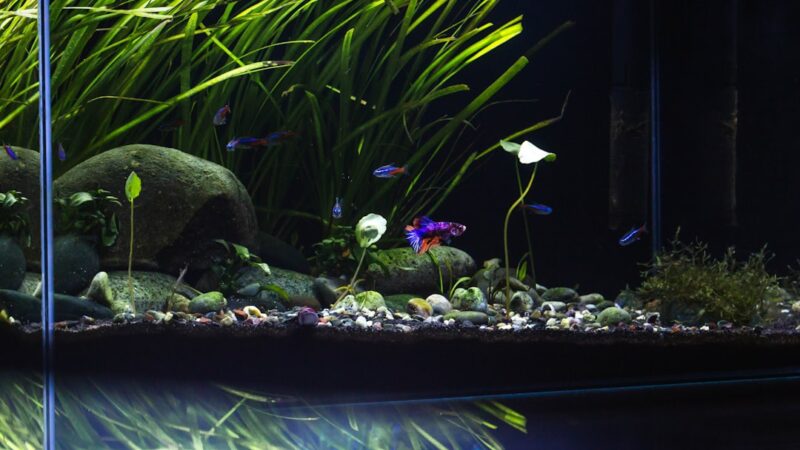
Photograph at tank centre height — not from above or below. The camera should be level with the midpoint of the aquascape. Include a small amount of space above and below the waterline for context, or crop tightly to just the aquascape. Use the rule of thirds in your framing. For panoramic tanks, ensure the camera is centred to avoid perspective distortion at the edges.
Post-Processing
Minor editing dramatically improves aquascape photos. Adjust white balance to remove any colour cast (warm or cool). Increase contrast slightly to make colours pop. Boost saturation modestly — excessive saturation looks fake. Crop to remove equipment, tank edges and distracting elements. Sharpen slightly for web use. Free apps like Snapseed and Lightroom Mobile handle all of these adjustments on a smartphone.
Capturing Fish
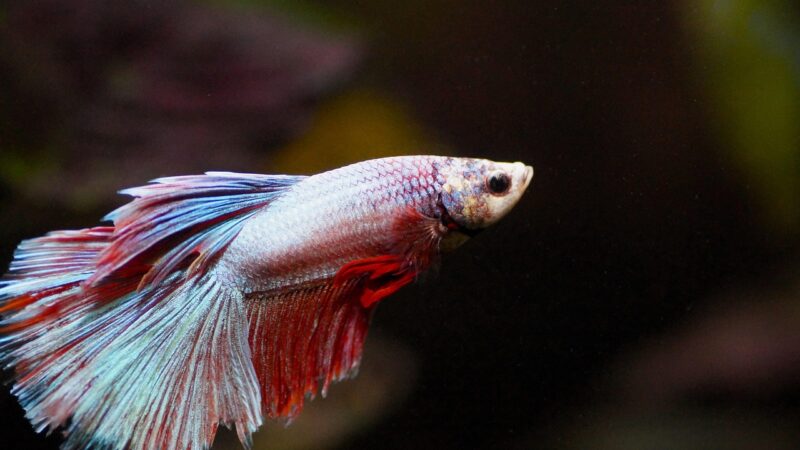
Fish are constantly moving, requiring a fast shutter speed (1/125 or faster). Increase ISO if needed to maintain shutter speed. For feeding shots, sprinkle food to concentrate fish in the desired area. For schooling shots, wait patiently for the school to form a tight group — it happens naturally but briefly. Burst mode captures multiple frames so you can choose the best fish position later.
Related Reading