Aquarium Timelapse Setup Guide: Camera, Interval, Editing
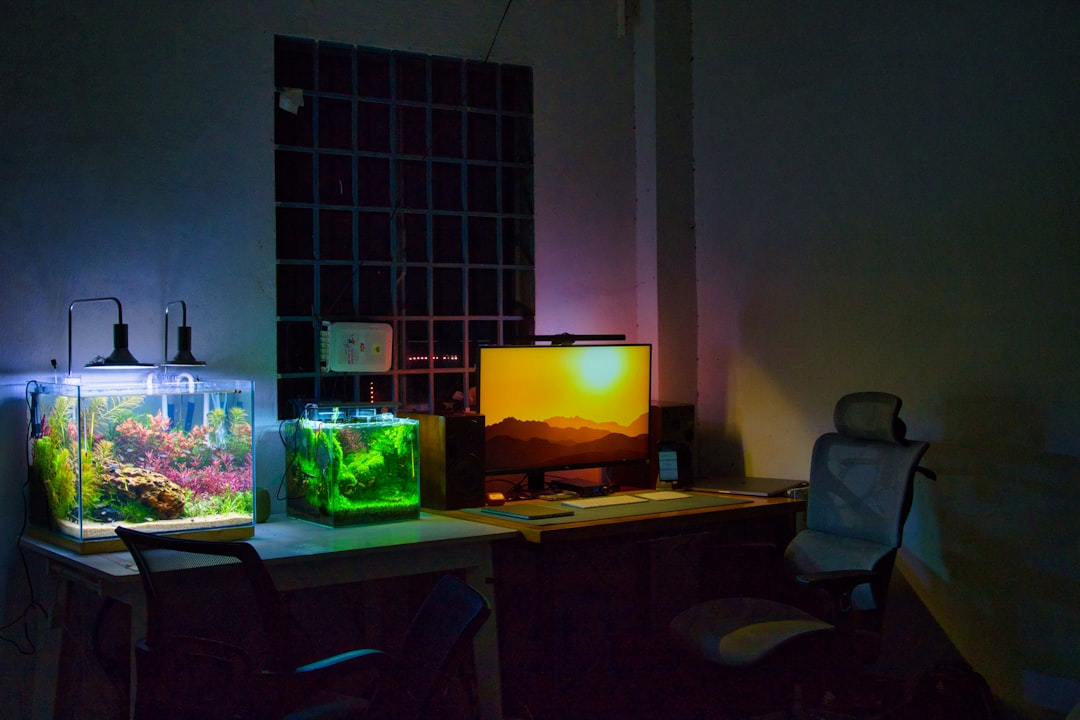
A clean aquascape timelapse — plants unfurling, a Dutch street growing across three months, coral encrusting a frag plug — is one of the most persuasive content formats in the hobby. This aquarium timelapse setup guide covers the practical decisions that separate smooth, flicker-free videos from the jittery, colour-shifting clips that litter social feeds. The notes below come from Gensou Aquascaping at 5 Everton Park and cover the Singapore reality: LED fixtures on timers, tropical ambient temperatures stressing cameras, and HDB power outlets too far from the tank stand. Whether you plan a one-day scape-build clip or a six-month plant-growth project, the fundamentals are the same.
Choose the Right Camera
Three camera classes work. An older mirrorless body with an intervalometer (Sony A6000, Canon M50) costs $300-500 second-hand and delivers excellent image quality. A GoPro Hero 11 or newer handles timelapse natively and mounts anywhere, but struggles in low light and warps wide shots. A dedicated timelapse camera like the Brinno TLC2020 is simplest but limited in resolution.
For a first project, the mirrorless route wins on image quality. Set it on a sturdy tripod outside the tank, wired to mains power through a dummy battery — internal batteries die after eight hours, long before a meaningful timelapse is done.
Framing and Composition
Lock the framing on day one and never touch it again. A slight camera bump two months into a three-month project ruins the whole sequence. Use masking tape to mark the tripod feet on the floor, and photograph the tripod-knob positions so you can reset precisely if moved. Compose for the final scape, not the current bare substrate — plants will fill two-thirds of the frame by month three, so leave headroom.
Interval Settings
Interval depends on project length and target video duration. For a three-hour aquascape build compressed to 60 seconds at 30 fps, shoot every 6 seconds. For a three-month plant-growth project at 60 seconds of final video, shoot every 4 minutes during lights-on and skip lights-off hours entirely. Skipping lights-off periods prevents jarring black flashes in the final cut.
Plan the maths before starting: final-video-seconds x 30 fps = total frames; total frames / project-hours = frames per hour, inverted to interval seconds. Miss this calculation and you end up with a timelapse either too long to watch or too short to convey growth.
Lighting Stability Is Everything
Timelapse flicker comes from LED flicker beating against shutter speed, and from tank lighting ramping on timers. Two fixes: set shutter speed to 1/60 s or slower to integrate out LED PWM flicker, and fix the tank light at full output for the entire shooting window with no ramping. For long projects where a fixed full-power photo-period is undesirable biologically, accept the brief flash transitions and ramp in post.
Block room lighting. A curtain between the tank and the window keeps exposure consistent across the day-night cycle. Singapore’s strong morning sun otherwise pushes frames two stops brighter than the rest.
Exposure Locking
Manual mode, manual ISO, manual white balance. Any auto setting drifts frame-to-frame and produces the characteristic “breathing” flicker. A typical setting for a well-lit planted tank: f/5.6, 1/60 s, ISO 400, white balance at 6500 K if your LED runs standard full-spectrum. Adjust your white balance by using the tank’s own LED as the reference.
Dealing With Fish Movement
Fish blur in long-interval timelapses and distract from the scape. For pure plant-growth clips, shoot at dawn just before the light ramps to full — fish are less active, and 1/60 s freezes them adequately. For build videos, you have no fish in the tank yet, which simplifies things. Some creators deliberately embrace ghosting as a signature look; decide in advance.
Storage and Power
A three-month project at one frame per four minutes during a ten-hour photo-period produces around 13500 frames. At 24 MB per raw frame on a full-frame camera, that is 324 GB — plan a dedicated 1 TB SD card and a backup drive. For power, run the camera on a dummy-battery adaptor plugged into a UPS so a brief outage does not corrupt the sequence.
Editing Workflow
Import the frames into Lightroom, apply a single preset to all, and export as JPEGs to a new folder. Then pull that folder into Premiere Pro or DaVinci Resolve as an image sequence at 30 fps. Apply deflicker (both Resolve and Premiere have built-in tools) and render to H.264 at 1080p or 4K. Add a simple title card at the start and end — no music that cannot be rights-cleared.
For social clips, 60-90 seconds is the sweet spot. Anything longer loses retention even if the transformation is impressive.
Common Problems and Fixes
Flicker that deflicker cannot fix usually means the tank lights were on a timer with mid-day dimming — disable it for the project. Focus drift appears when the lens is on autofocus; switch to manual and tape the focus ring. A greenish cast that deepens over time reflects algae growth on the front glass; clean it weekly and accept the small exposure jumps, which deflicker will smooth.
Sharing and Archiving
Keep the raw frames on an archive drive even after the final render. Clients and competitions sometimes ask for re-edits or stills, and re-rendering from frames beats trying to upscale an H.264 export. Share the finished clip on your club’s channel; an aquascape timelapse is one of the most-shared formats in the local community, and a well-edited video is better marketing for a hobbyist’s work than any series of stills.
Starting Small
Before committing to a three-month project, shoot a two-hour aquascape build or a 24-hour plant growth cycle to confirm your settings, framing and lighting hold steady. The discipline of a short project exposes every problem cheaply. Apply the fixes and then scale up to a headline project worth months of shelf-space in your portfolio.
Related Reading