Aquarium Macro Photography Guide: Capturing Detail With Your Phone or DSLR
A well-composed macro photograph can reveal details invisible to the naked eye, from the individual polyps of a coral to the intricate gill plates of a dwarf shrimp. This aquarium macro photography guide from Gensou Aquascaping at 5 Everton Park, Singapore walks you through the techniques, gear and settings needed to capture professional-quality close-ups using either a smartphone or a dedicated camera. You do not need expensive equipment to start. Understanding light, focus and timing matters far more than megapixels.
Gear for Macro Aquarium Shots
Smartphone users can achieve impressive results with a clip-on macro lens, available on Shopee or Lazada for $10 to $30. These lenses screw or clip onto your phone’s camera and allow focusing distances of 2 to 5 cm. For DSLR and mirrorless users, a dedicated macro lens with 1:1 magnification is ideal. The Sigma 105mm f/2.8 and Tamron 90mm f/2.8 are popular choices in the $400 to $800 range locally. Extension tubes offer a budget alternative, converting any standard lens into a macro-capable optic for under $50.
Mastering Focus at Close Range
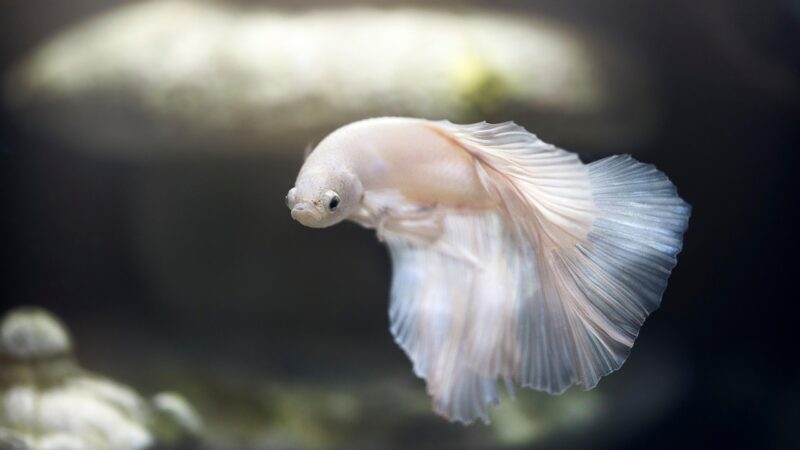
Depth of field becomes razor-thin at macro distances. At 1:1 magnification, only 1 to 2 mm may be in sharp focus. For fish portraits, focus on the eye. A sharp eye makes the entire image feel crisp, even if the tail falls into soft blur. Switch to manual focus for maximum control, as autofocus systems often hunt back and forth at close range. On smartphones, tap the screen to lock focus on your subject, then move the phone slightly forward or backward to fine-tune sharpness.
Consider focus stacking for stationary subjects like corals, snails or sleeping fish. Take multiple shots at slightly different focus distances and merge them in software like Helicon Focus or Photoshop to create an image with extended depth of field.
Lighting for Macro
Your tank’s built-in lighting may not provide enough illumination for macro work, especially if you are shooting at fast shutter speeds to freeze motion. A small LED torch held at an angle to the glass can fill shadows and add directional light. Avoid pointing the torch directly through the glass at the camera, which creates hotspots. For DSLR users, an off-camera flash with a diffuser positioned above or beside the tank produces clean, even illumination. Reduce your tank’s blue or actinic channels if shooting corals, as heavy blue light confuses white balance and washes out colour in photographs.
Camera Settings That Work
On a DSLR or mirrorless camera, start with aperture priority mode at f/8 to f/11 for a balance of sharpness and depth of field. Keep ISO between 400 and 1600 to maintain image quality. A shutter speed of at least 1/200 second freezes most fish movement. If light is insufficient, increase ISO rather than slowing the shutter. On a smartphone, use the pro or manual mode if available. Set a lower ISO and let the phone’s computational photography handle noise reduction. Shoot in RAW format when possible for greater editing flexibility.
Composition and Framing
Fill the frame with your subject. Negative space works in aquascaping photography but rarely in macro work, where the goal is to showcase detail. Follow the rule of thirds for eye placement in fish portraits. Shoot slightly below eye level rather than looking down, which creates a more engaging perspective. Background matters: a dark substrate or shadowed area behind the subject produces clean separation, while a busy background competes for attention and weakens the image.
Dealing With Glass and Reflections
Press your lens or phone flush against the tank glass. This eliminates reflections entirely and stabilises the camera. Clean the glass thoroughly before shooting, both inside and out. Even minor algae films or water spots become glaringly obvious at macro magnification. A rubber lens hood or even a dark cloth draped around the lens blocks ambient room light from bouncing off the glass. Turn off room lights and close curtains for the cleanest results.
Post-Processing Tips
Even a great macro shot benefits from minor editing. Adjust white balance to neutralise colour casts from aquarium lighting. Increase clarity and sharpness slightly to enhance fine detail like scale textures and plant cell structures. Crop to tighten composition if needed. Free apps like Snapseed handle basic editing well, while Lightroom offers more precise control. Resist the temptation to over-saturate colours, which makes aquarium photos look artificial and untrustworthy.
Practice Subjects to Start With
Begin with slow or stationary subjects. Snails, shrimp feeding on biofilm, Anubias flower spathes and moss sporophytes make excellent practice targets. Graduate to resting fish, then to active swimmers. Patience is the most important tool in aquarium macro photography. You may take fifty shots to get one keeper, and that ratio is perfectly normal even for experienced photographers.
Related Reading
- Aquarium Photography Lighting Tips: Reducing Glare and Enhancing Colour
- Aquarium Photography Tips: Capture Stunning Shots With Phone or Camera
- White Balance for Aquarium Photography: Correcting Blue and Yellow Casts
- Active vs Inert Substrate: Which Is Right for Your Planted Tank?
- ADA Fertiliser System Guide: Brighty K, Green Brighty and Step Series